Command Line / Command Palette
Designing a keyboard-first command interface that gives power users fast, direct access to tools and actions across QSWeb.
Prototype
Challenge
Power users relied on clicking through modules, searching long lists, and configuring workspaces to perform actions. This created friction in a fast-paced environment where speed and precision matter. There was no centralized way to access tools or execute actions quickly, especially for keyboard-driven users. The challenge was introducing a faster interaction model without disrupting existing workflows or overwhelming users with complexity.
Approach
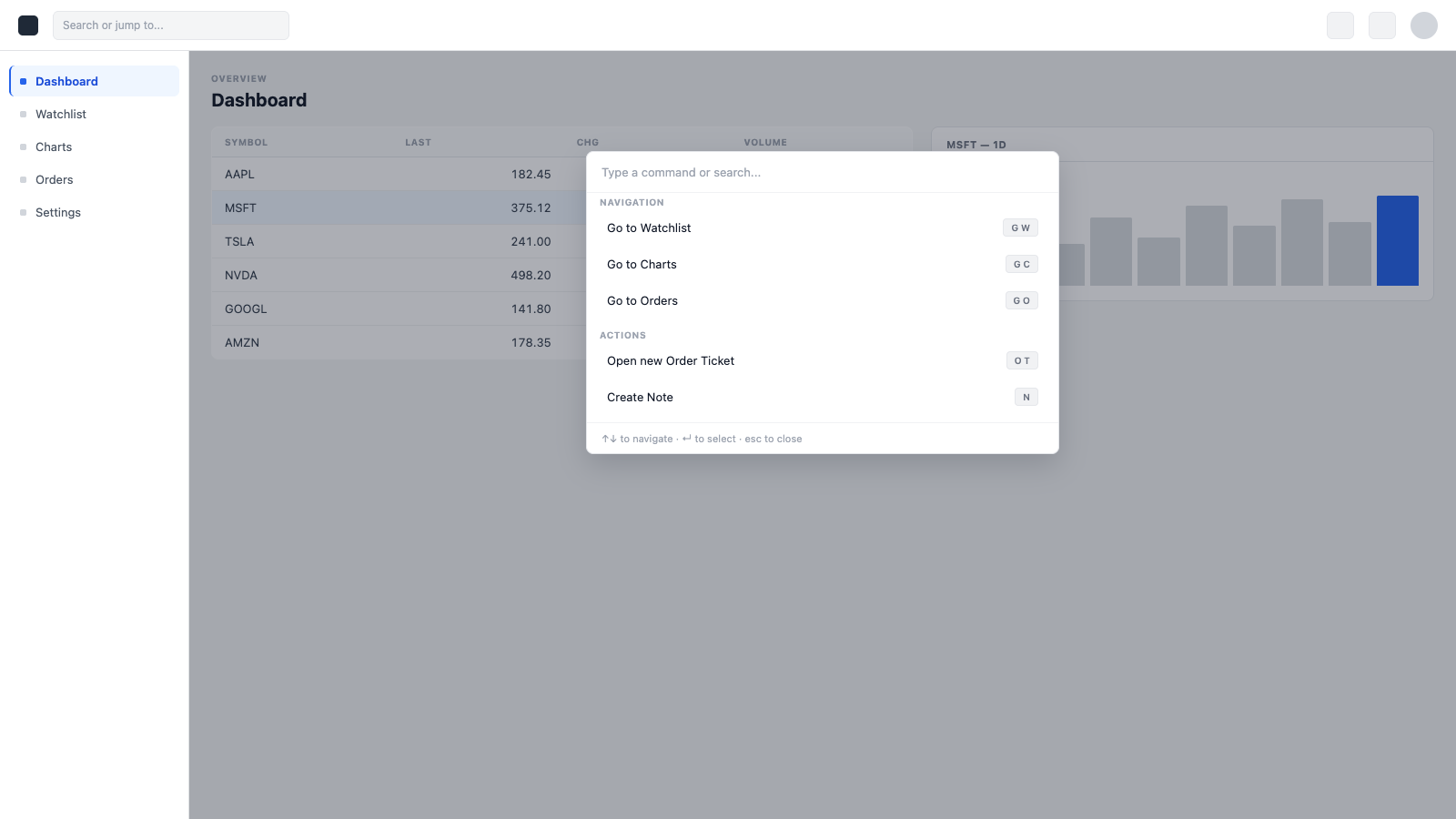
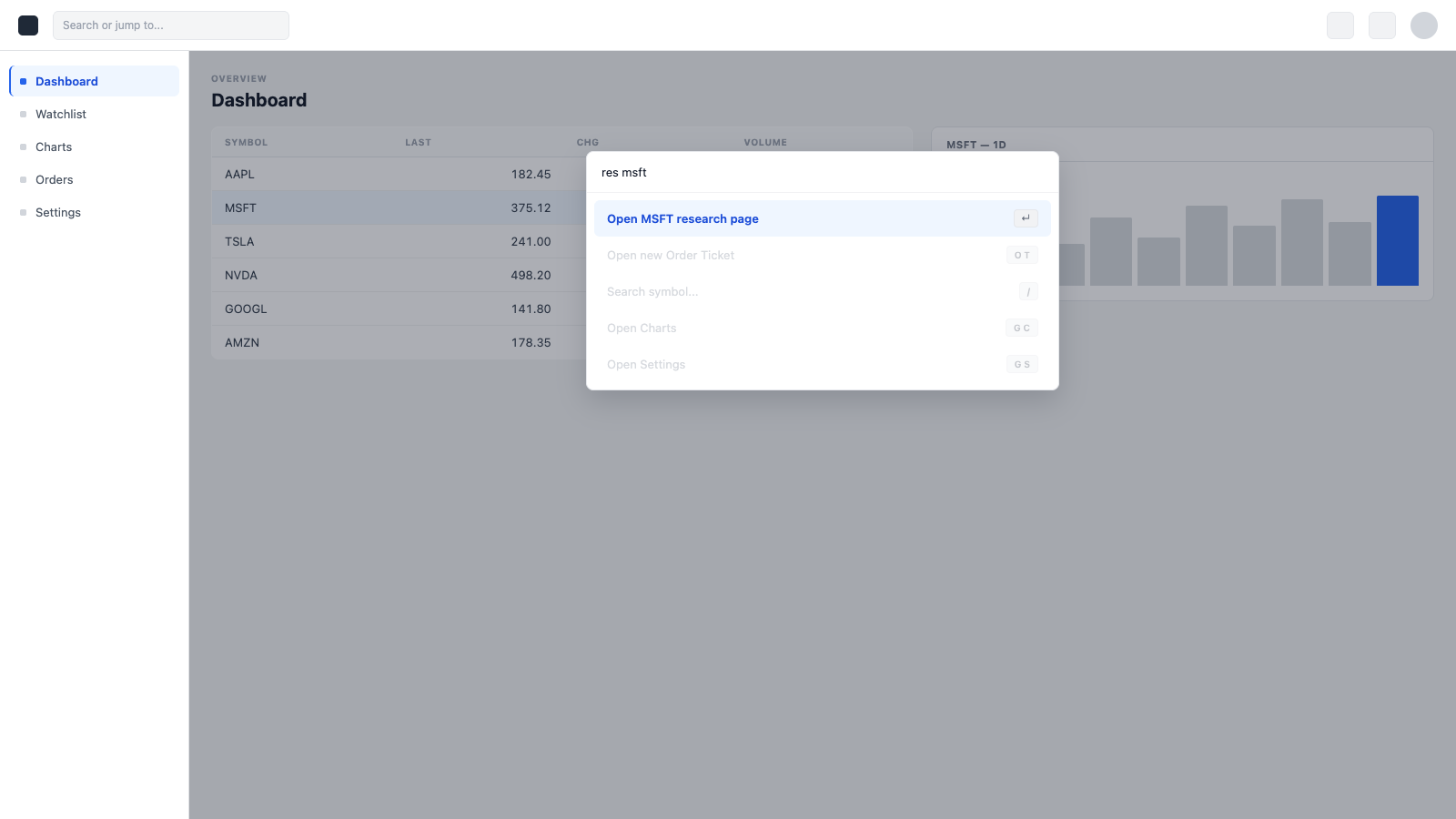
Introduced a global command palette that allows users to access tools, navigate, and trigger actions from anywhere in QSWeb. Focused on making the system predictable and low-friction, with minimal steps between intent and action. Designed to balance speed for power users with discoverability for less experienced users.
Outcome
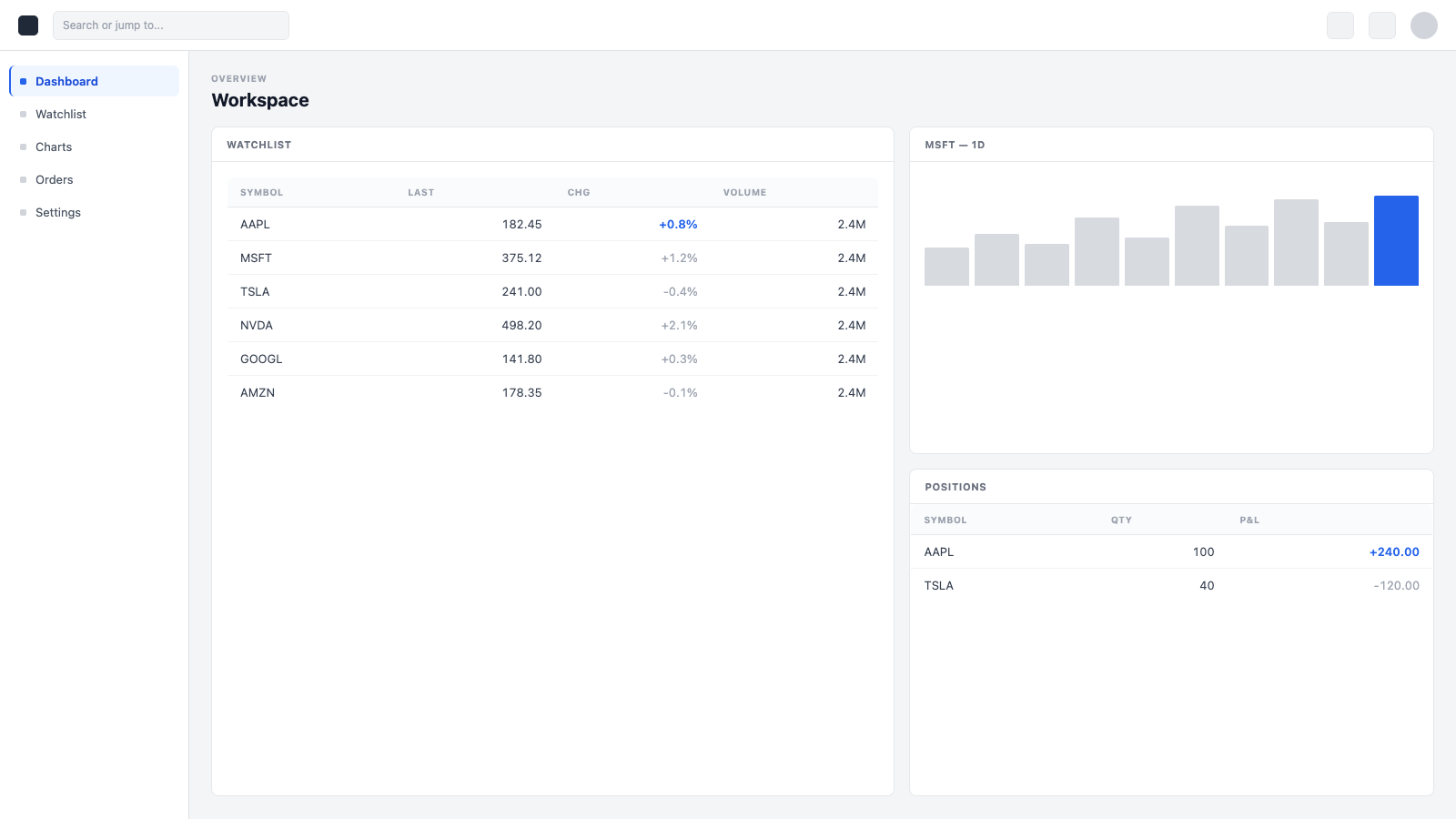
Users can now open tools, search symbols, and trigger actions in a single step without navigating menus or modifying their workspace. The system introduces a scalable interaction layer that can expand to support more advanced commands over time.
Gallery
Related Projects
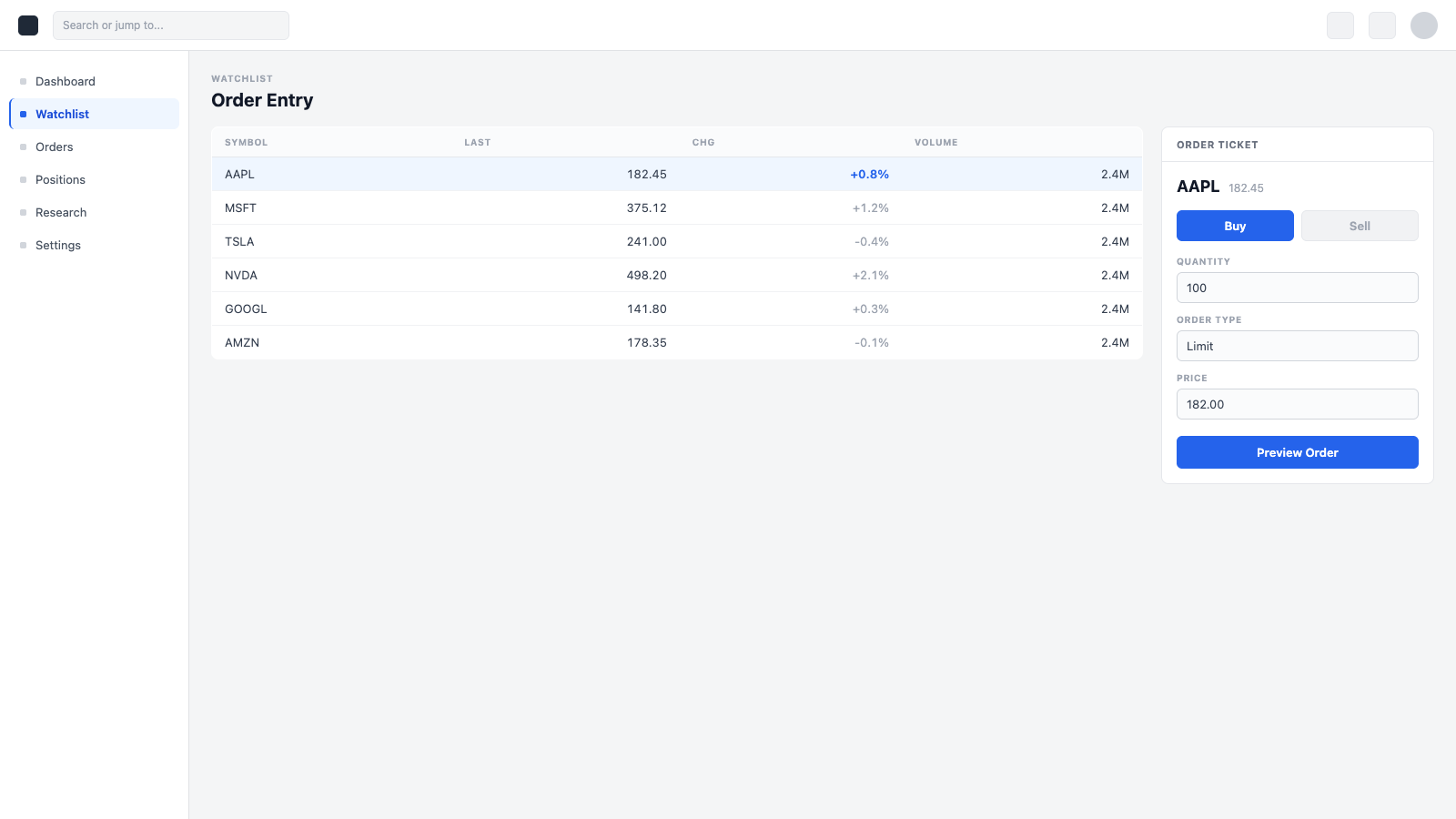
Trade Experience / Order Entry System
Designing a complete institutional trading experience from the ground up — across tickets, confirmations, and integrated trade actions.
Notes Integration
Designing a native notes system for QSWeb — built around trading workflows, not adapted from general-purpose tools.